


Congratulations, you now own a personal digital (crypto) wallet
containing an NFT.
This page guides you through to process in activating your wallet
and the use of your NFT.
Before you start…
3 important concepts to understand before you start using your wallet and NFT:
-
NFT stands for Non-Fungible Token: a non-exchangeable, unique, irreplaceable digital certificate of ownership.
You can link this - digitally created - certificate to a (digital) object such as a .JPEG image. But it can just as well be a video, 3D object, audio or (live)stream of a moment and so on…Specifically for digital art, it is an ideal distribution system. For physical and/or traditional art, the technology can be used to link a digital certificate of ownership. This allows the physical and/or traditional artwork to benefit the same optimisations and benefits as a digital art NFT.
-
A digital - or crypto - wallet is an app that allows users to store and retrieve their digital files and data, such as NFTs or private passwords, in a secure and accessible way.
It also allows you to send, receive and spend crypto coins. The app is an environment to keep everything in one place. You can also use this app as a profile to connect to web3 supported websites. -
Democratisation: NFTs are an ideal way to democratise art. Working with an NFT platform can be a great way to engage your core audience while reaching a wider audience as they not only serve professional collectors, but are accessible to all.
Multi-use: An NFT can be seen as a multifunctional asset, e.g. (entrance) tickets, fundraising means, membership cards, etc.
Royalties on (re)sale: The smart contract behind an NFT provides royalties for resale. When an NFT does well in the secondary market over time, it generates recurring revenue with minimal effort. NFT’s are really quick to transfer and there are no shipping charges.
Funding and support: Museums and institutions can buy a work of art for their permanent collection and still sell NFTs of those pieces. This allows their audiences to (literally) invest in the activities of the organisation. Both artist (foundations) and museum can benefit from a royalties system.
Efficiency: You can easily host digital exhibitions and initiate (artist) collaborations with an international context without having to deal with expensive shipping and storage costs. That makes it more scalable in some domains.
Register and Authentication: NFTs can be used to publicly register and authenticate (physical) works of art to distinguish them from counterfeits and verify their ownership (possibly in combination with physical trackers or labels).
The concept of pre-generated wallets
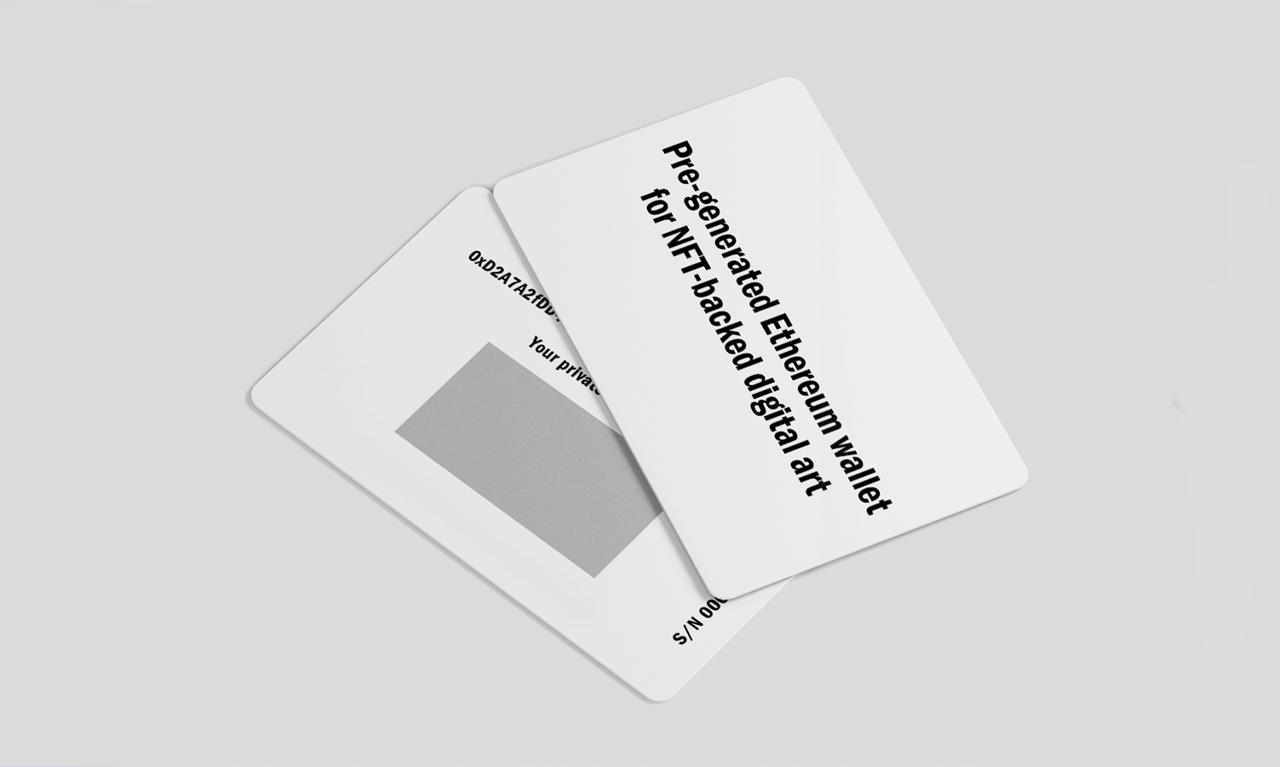
The concept of unique generated online wallets is developed to lower the threshold for both artists, collectors and intermediary partners who are taking their first steps in using blockchain technology for digital art or tokenised assets.
Our pre-generated wallets are an initiative developed by PLUS-ONE in close collaboration with CRONOS groep to help stakeholders onboard and use new technologies.
Discover the user guide below.
Step 1: make the online wallet use-ready
1.1 Scratch the grey area on the back of the card and discover your private seed phrase.
Note: This seed phrase is personal and secret. Store it on a safe place.
1.2 Go to metamask.io and install the Metamask wallet extension to your browser. It’s supported for the following browsers: Chrome, Safari, Brave and Edge.
Follow all the steps in this video and use the private seed phrase from your card.
Note: If you have already a Metamask you can add a new Metamask to another browser if you want to do it quick. Or you can reinstall Metamask to remove your existing extension and download it again to import this new one. Make sure that you first exported your private key, at your account details, if you want easily import your wallet again afterwards.
Step 2: Connect your wallet to Opensea
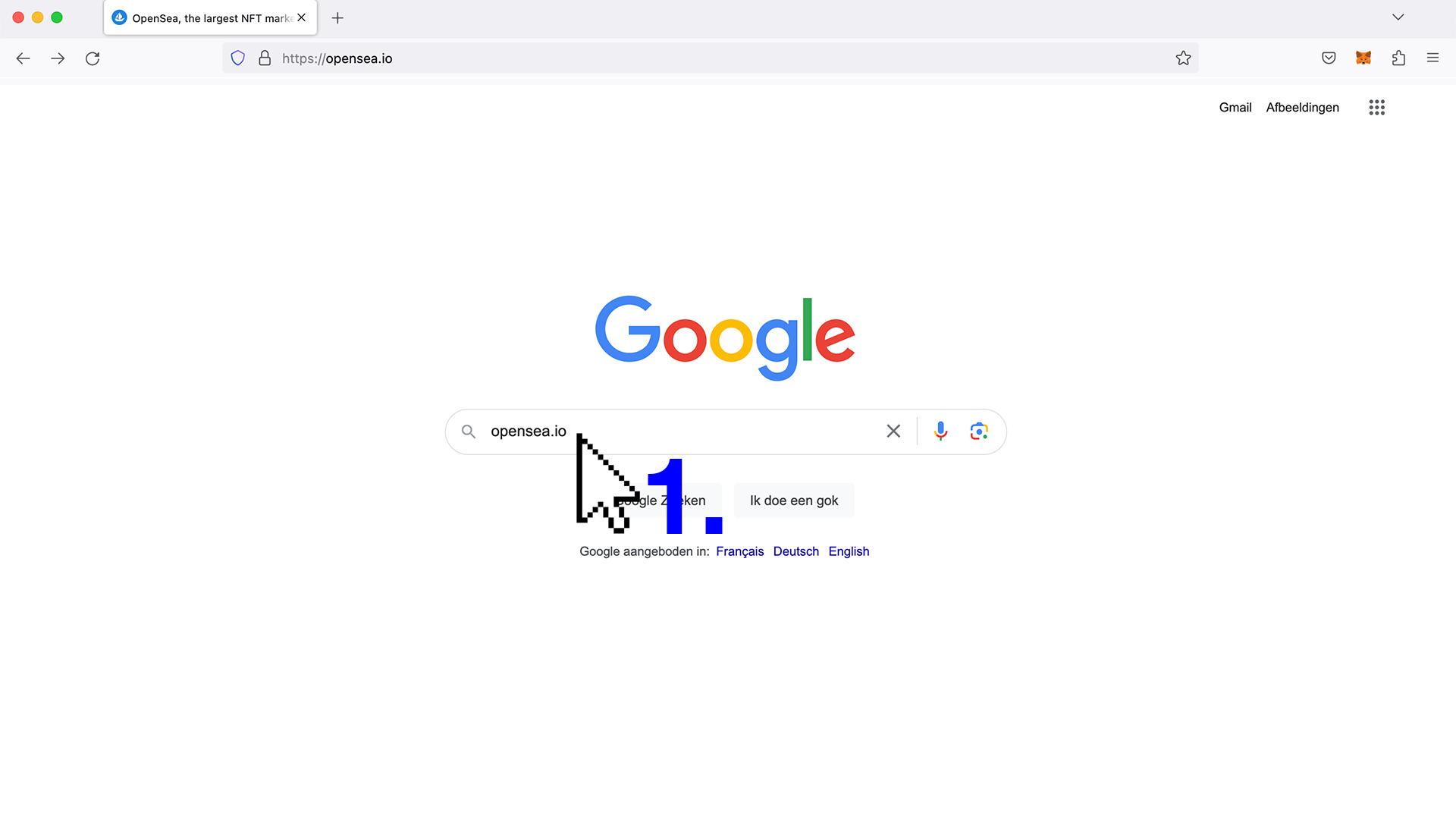
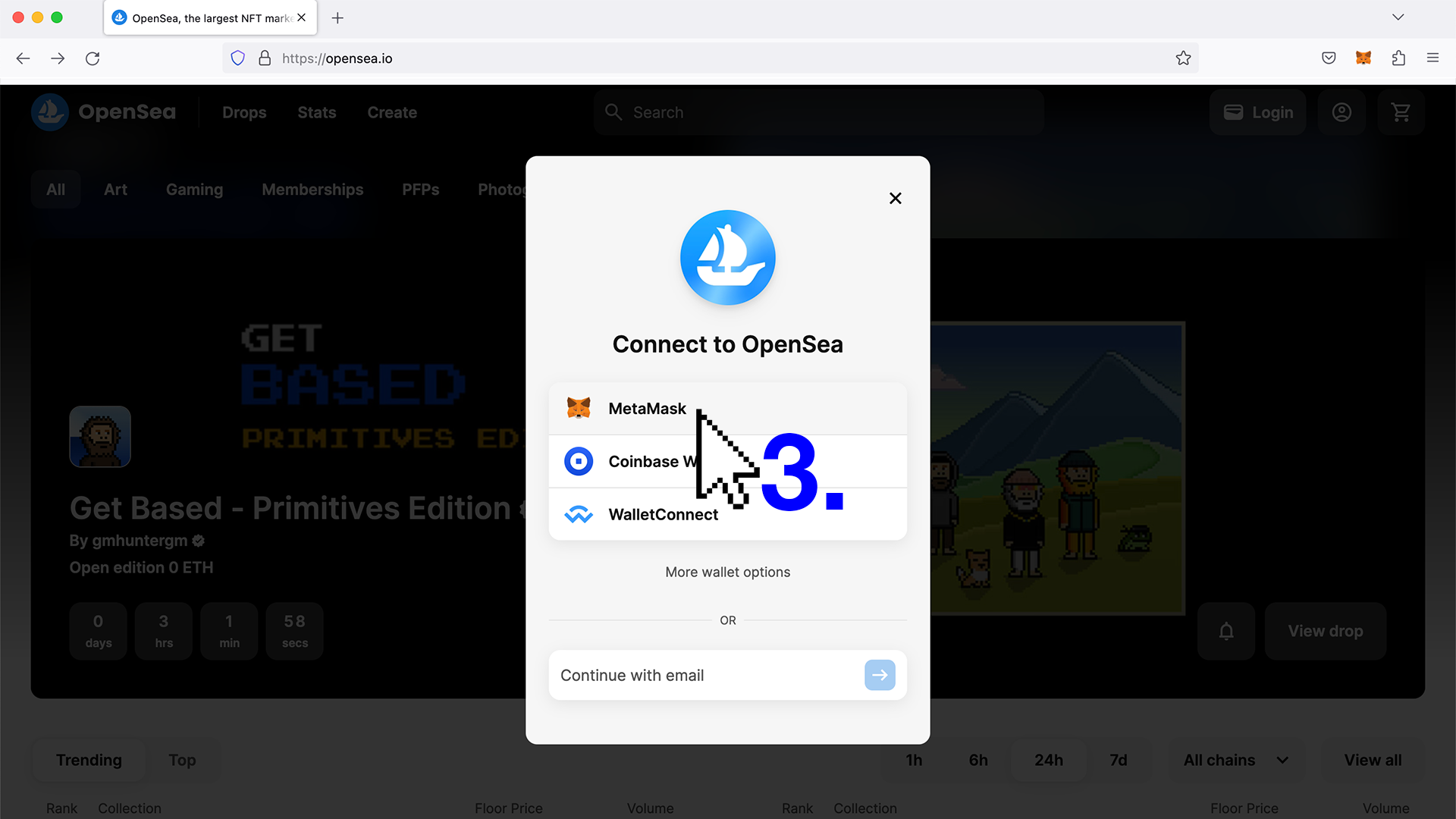
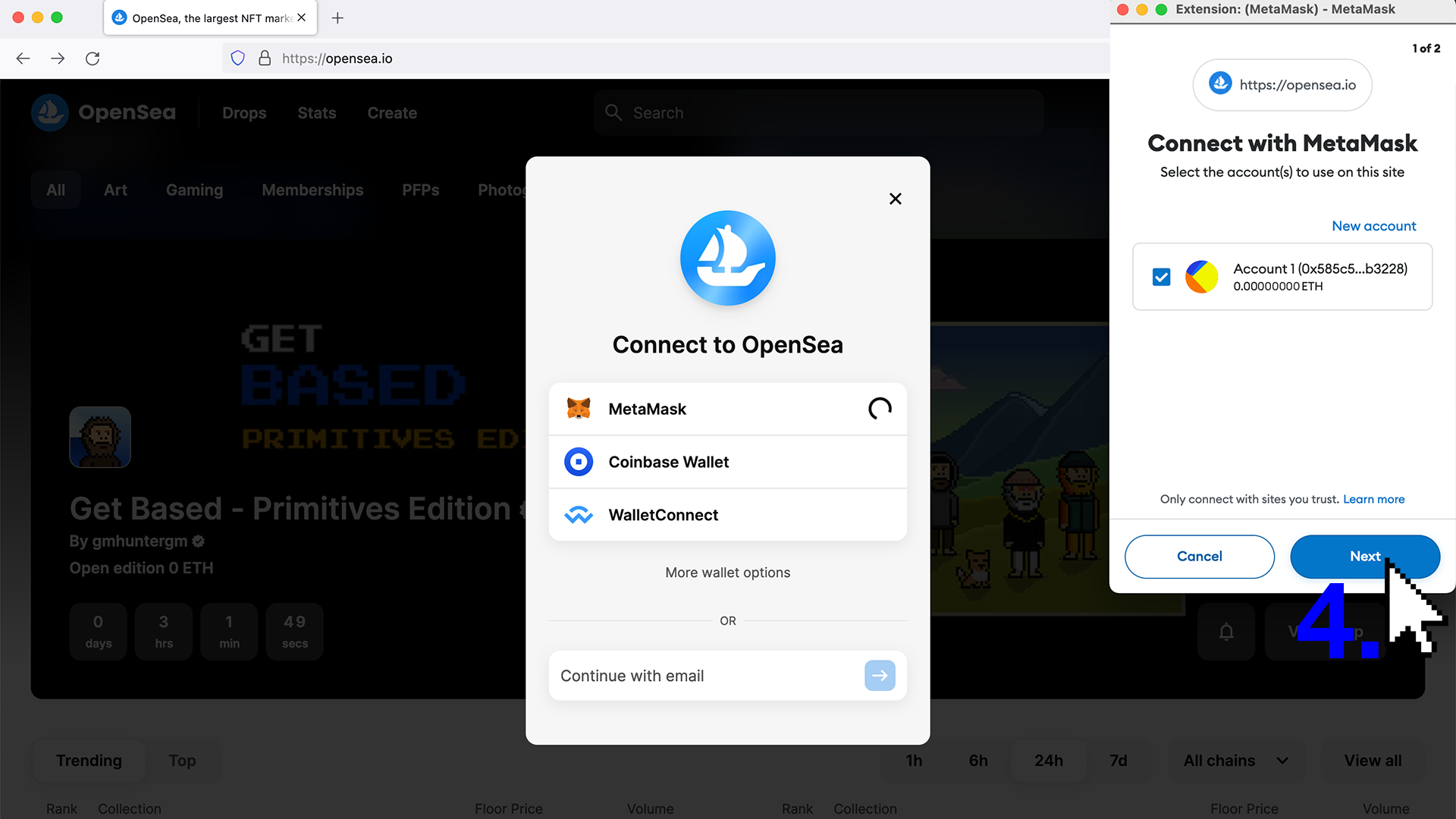
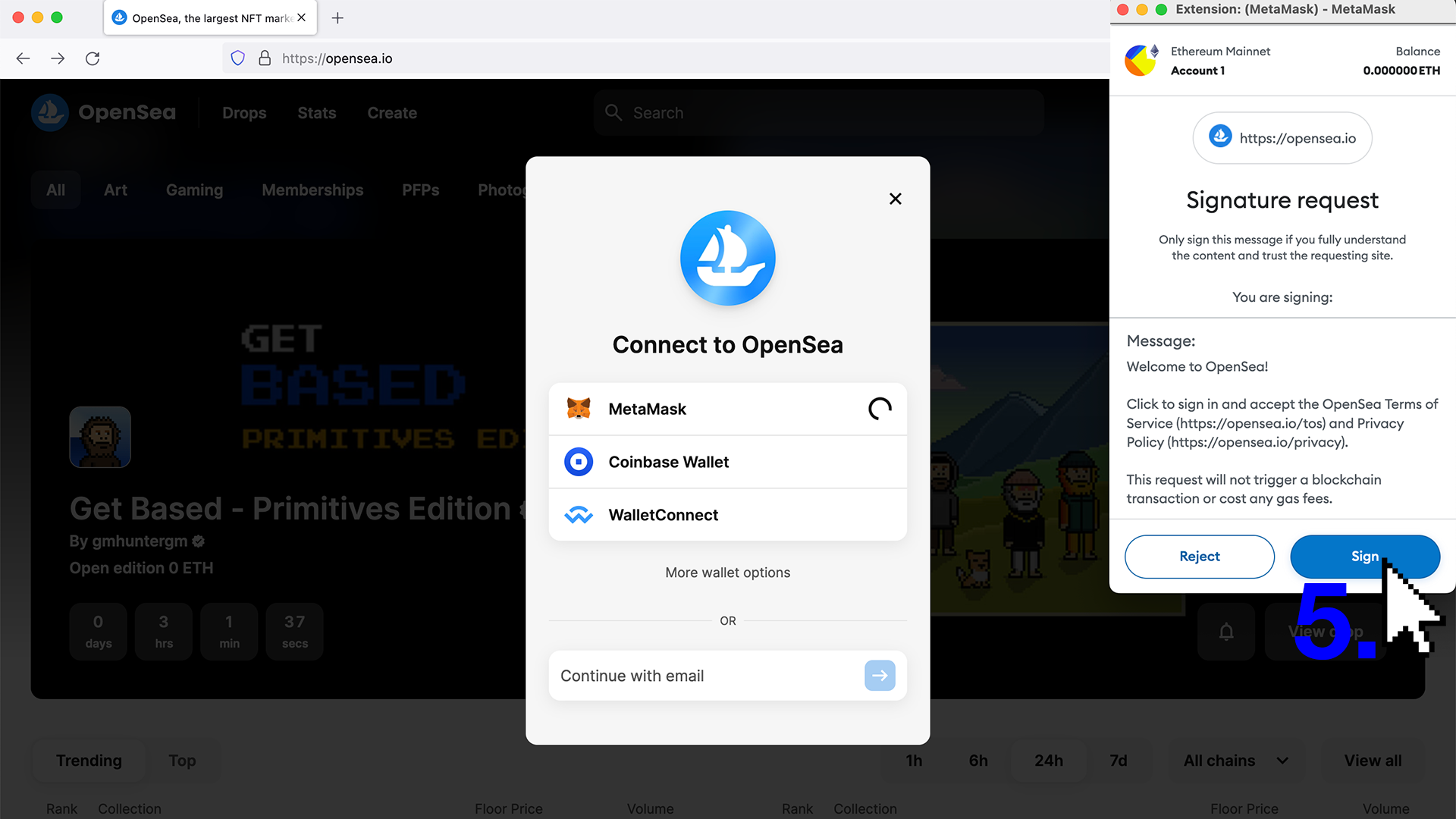
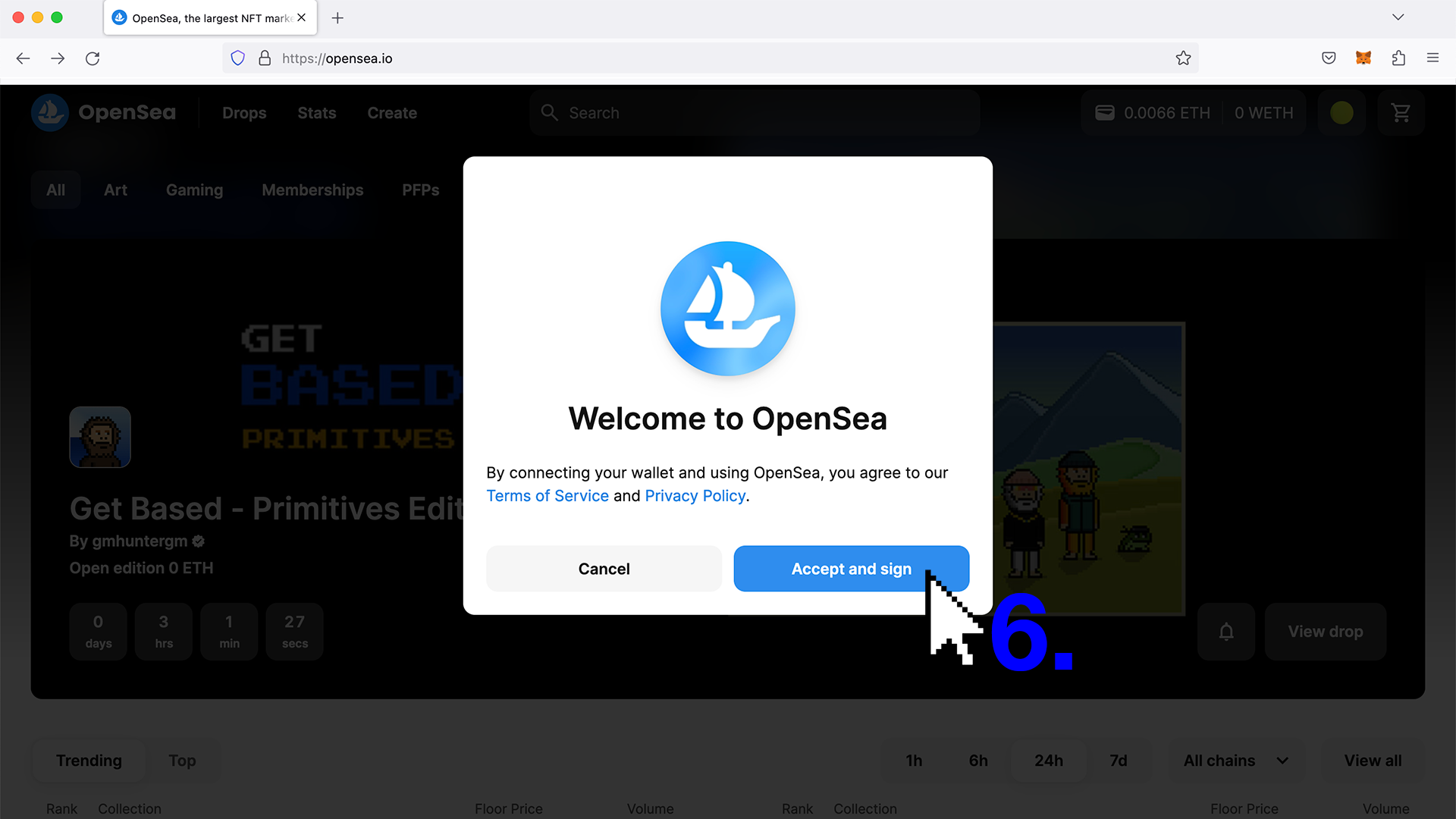
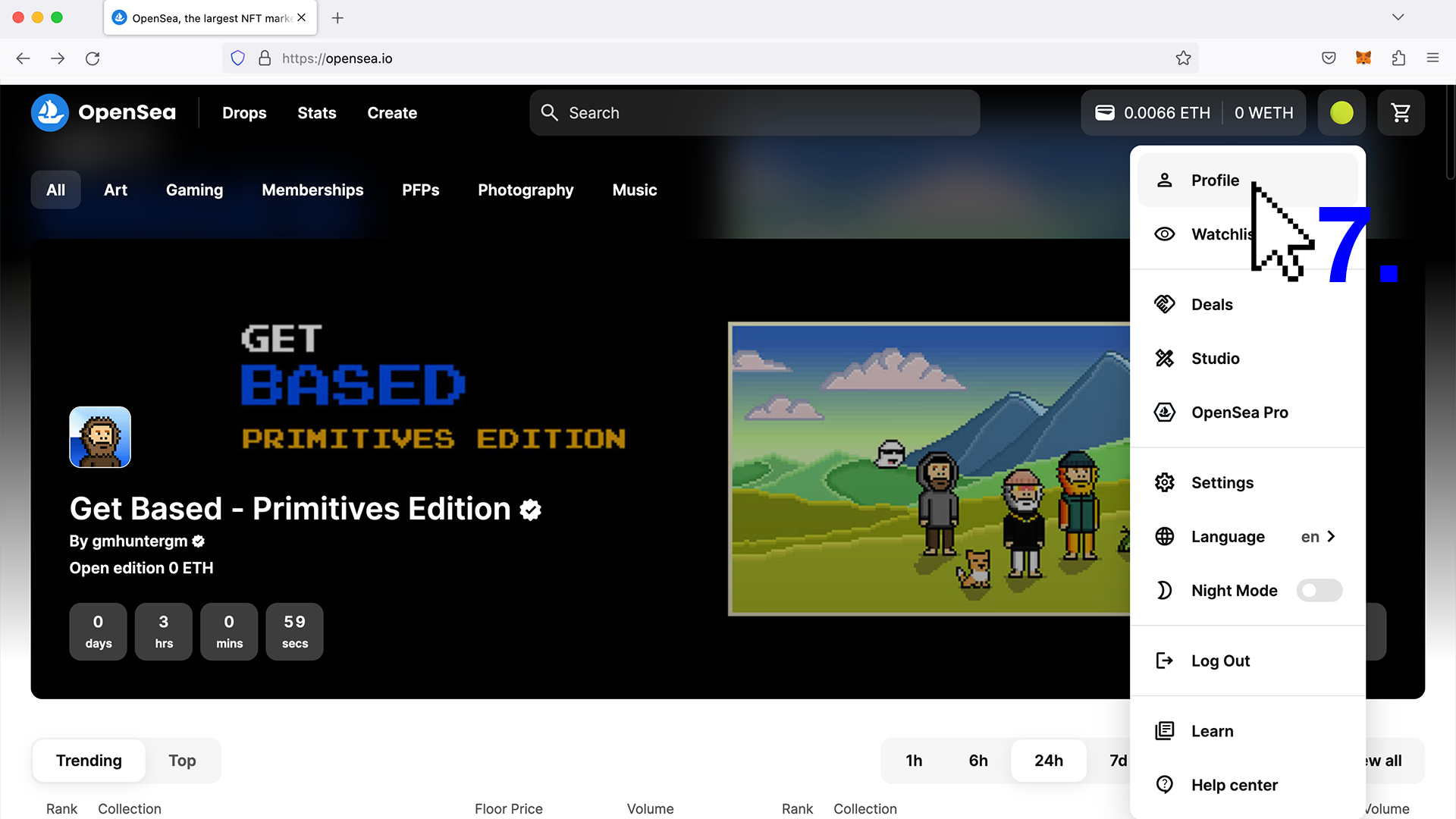
There are many options, both for tech savvy people and newcomers, but Opensea is the most common used NFT marketplace to discover, buy, sell and transfer NFTs. It’s easy in use and serves both types of people.
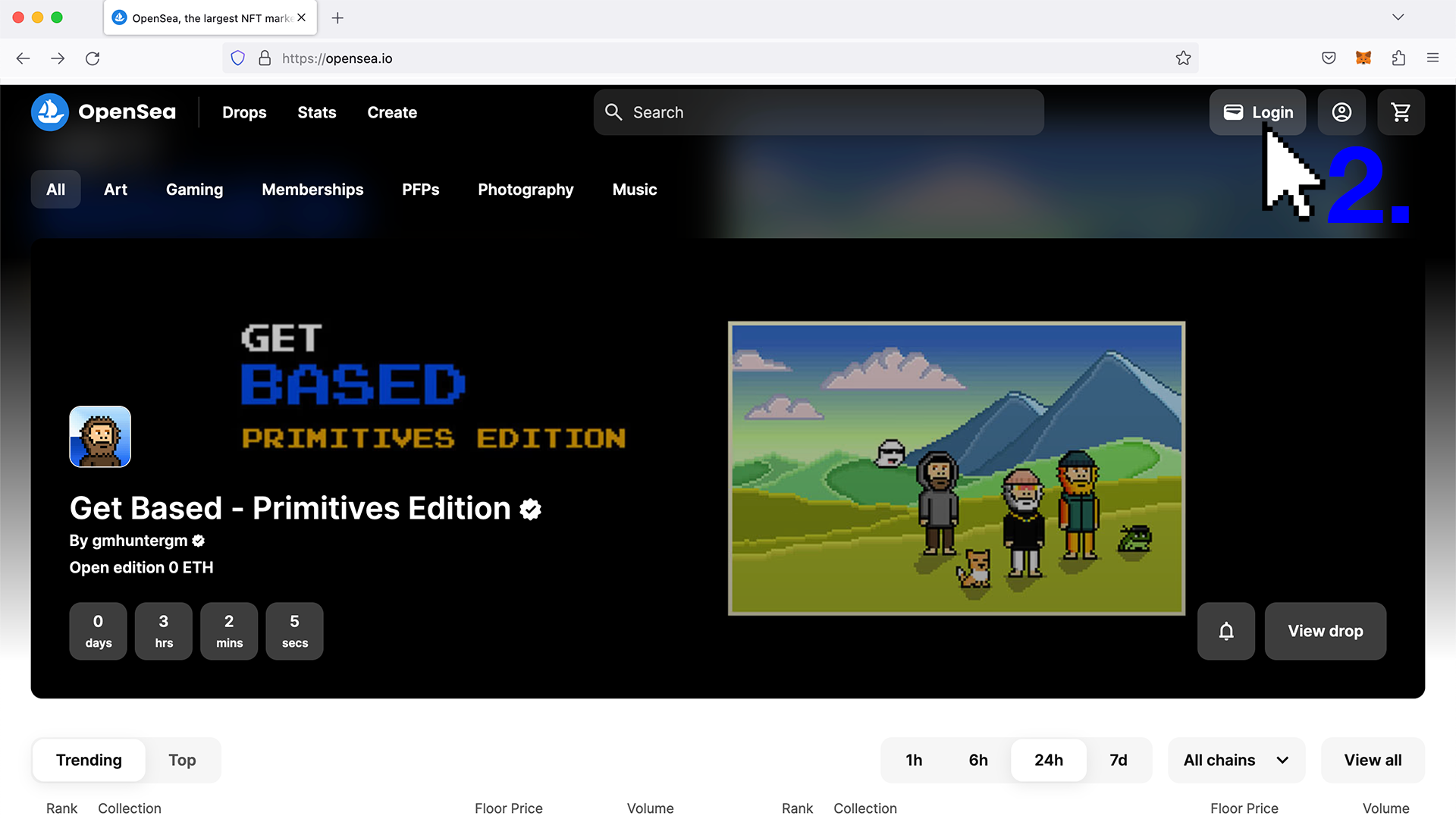
2.1: Go to opensea.io and connect with your wallet to the platform in the right upper corner. Next, a Metamask pop-up will show. The platform works really intuitive.
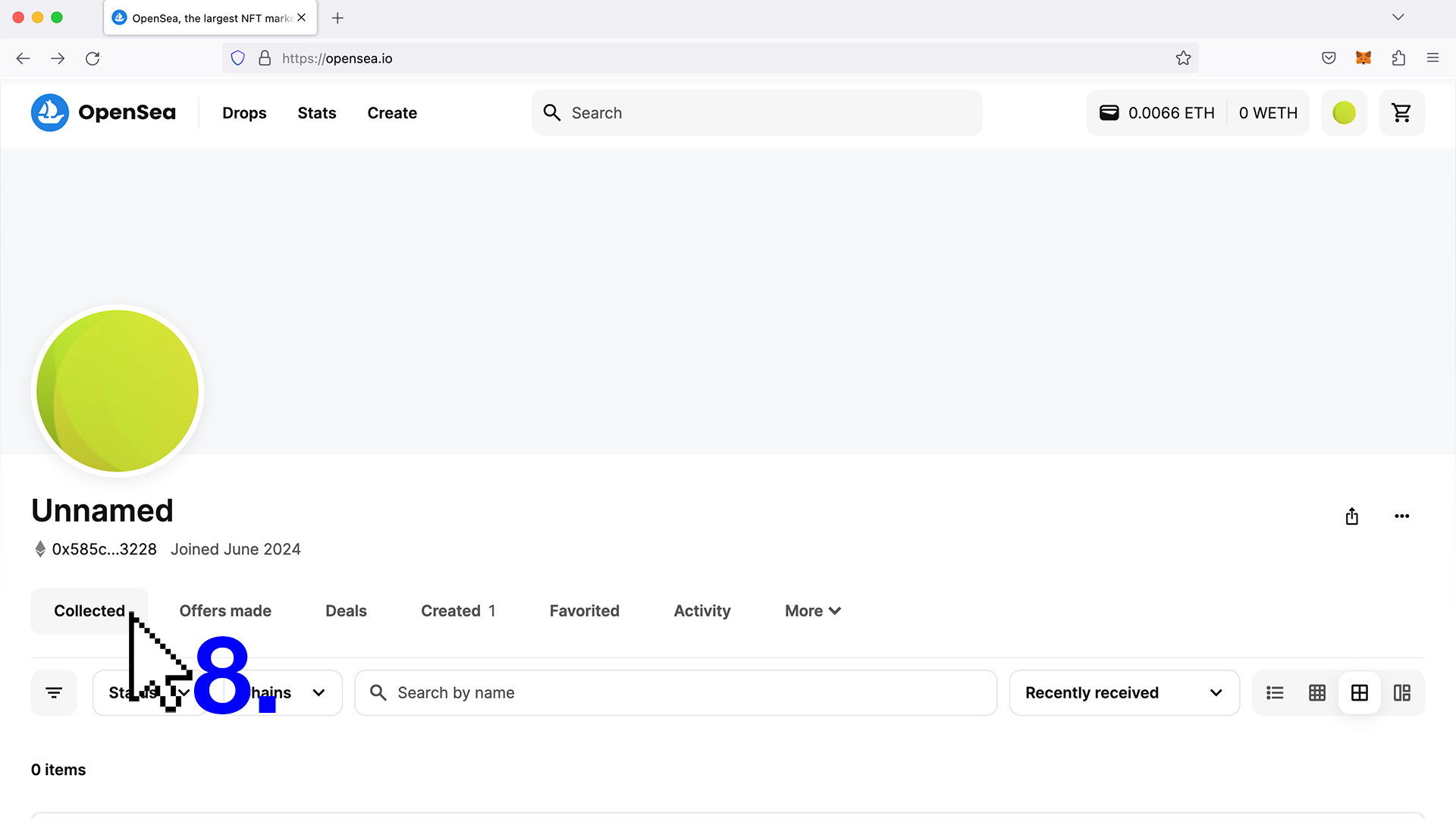
2.2: Collected tab: If you click your profile button you will find the NFT collectible on your profile.
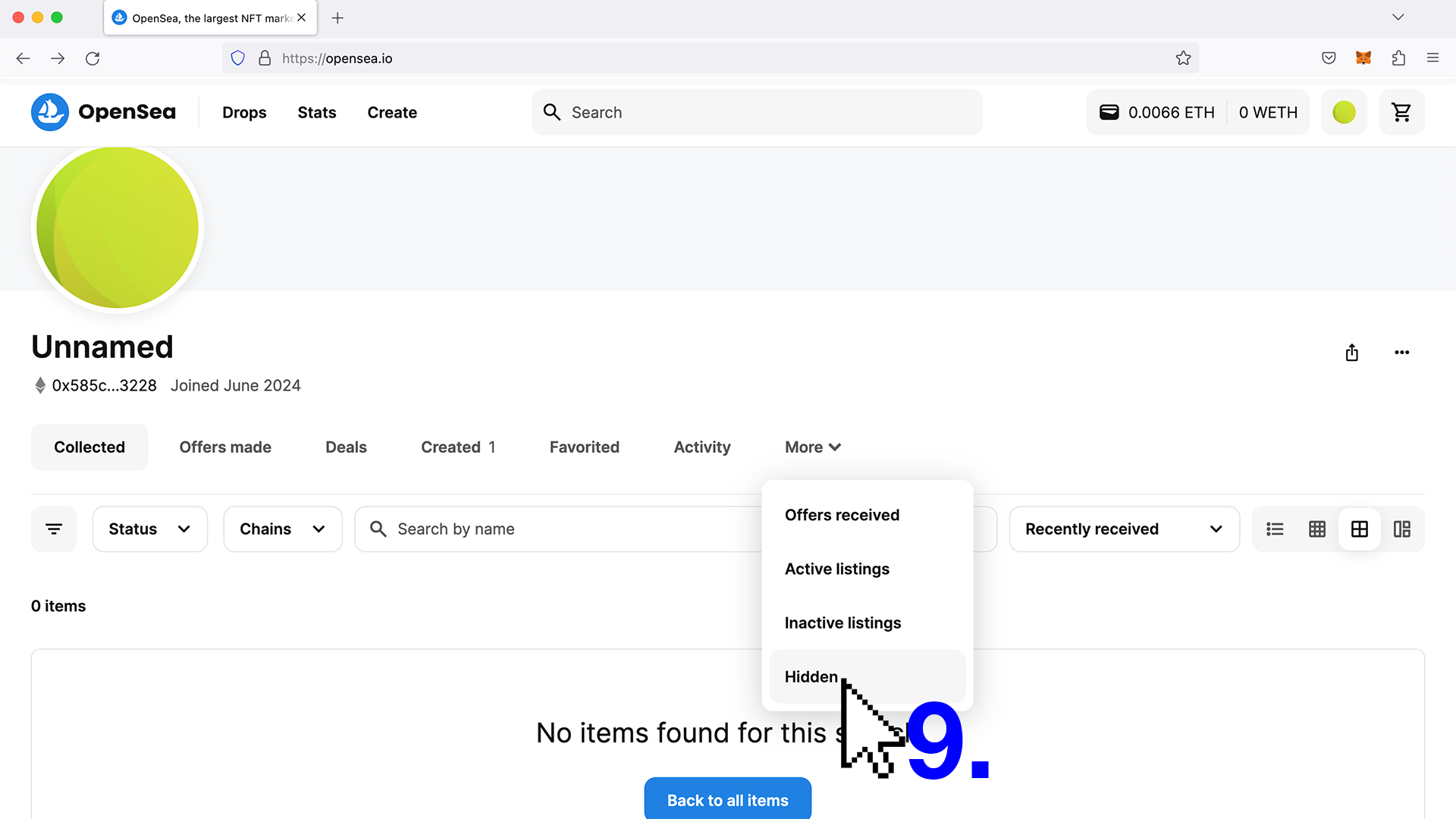
Note: If you don’t find your NFT check out the hidden tab.
More documentation on the use of NFTs
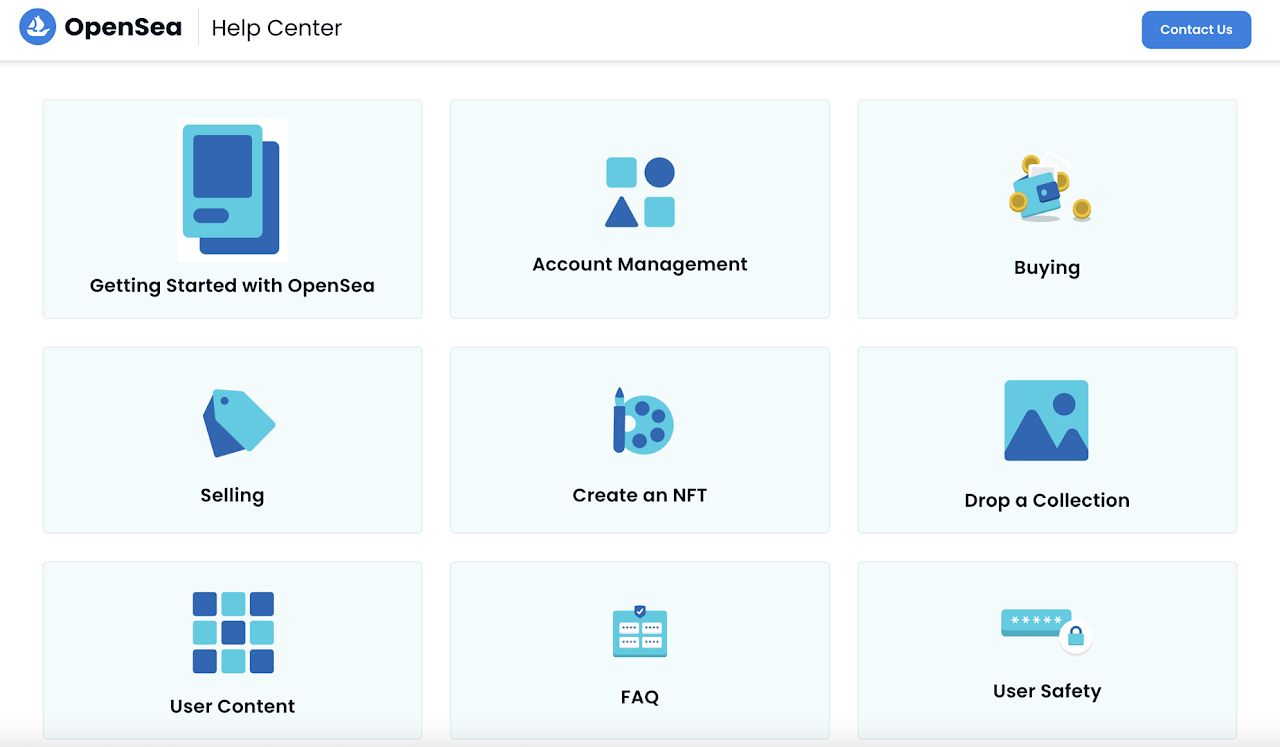
There are many NFT platforms to buy and sell NFTs.
We suggest Opensea as the most complete and
easy-in-use marketplace for simple NFT-related
actions and trading on the blockchain.
Selection of interesting first instructions:
How to transfer an NFT to another wallet
How to buy an NFT on Opensea
How to sell an NFT on Opensea
Advice: Are you insecure about some of the actions you want to fullfil while using an NFT-platform or marketplace? Get help from someone with expertise and avoid losses or scams, but never share your secret code with anyone.